SSO Authentication
KonnecTo, supports creations and session generations apis, that can be leveraged to setup a custom minimal effort SSO flow.
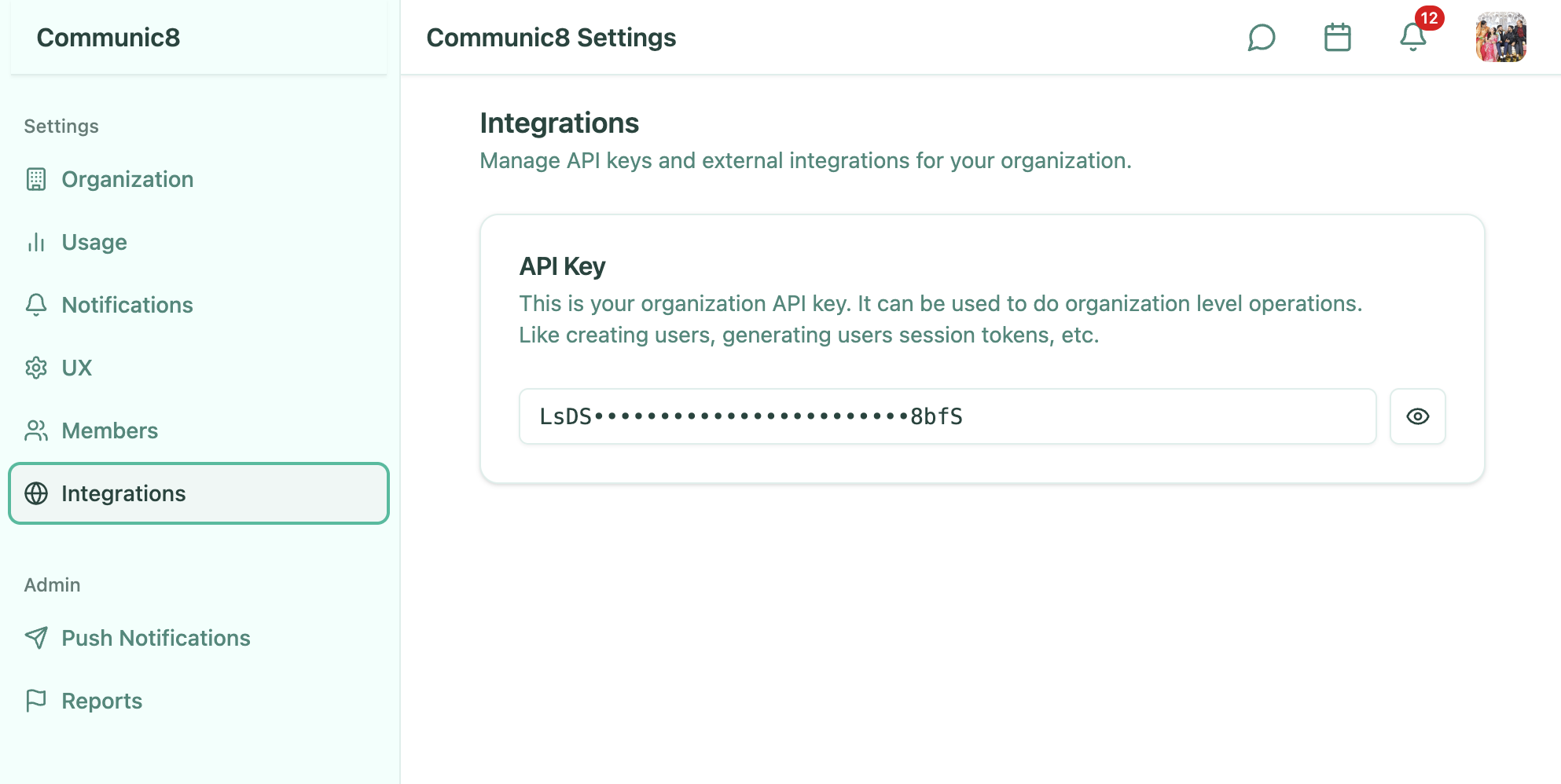
As soon as you onboard, an API Key is generated for the organization, this api can be found at Integrations Page.
Use your organization API key to create a seamless SSO experience between your platform and KonnecTo.
Overview
The flow uses a redirect URL stored in your organization configuration and a refresh token passed back to KonnecTo.
Key pieces:
ORGANIZATION_API_KEY: Authenticate server-to-server calls from your platform.AUTH_REDIRECT_URL: Where KonnecTo should send users to begin SSO on your platform.- Query param to return to KonnecTo:
refresh-token.
Step-by-step
- configure the
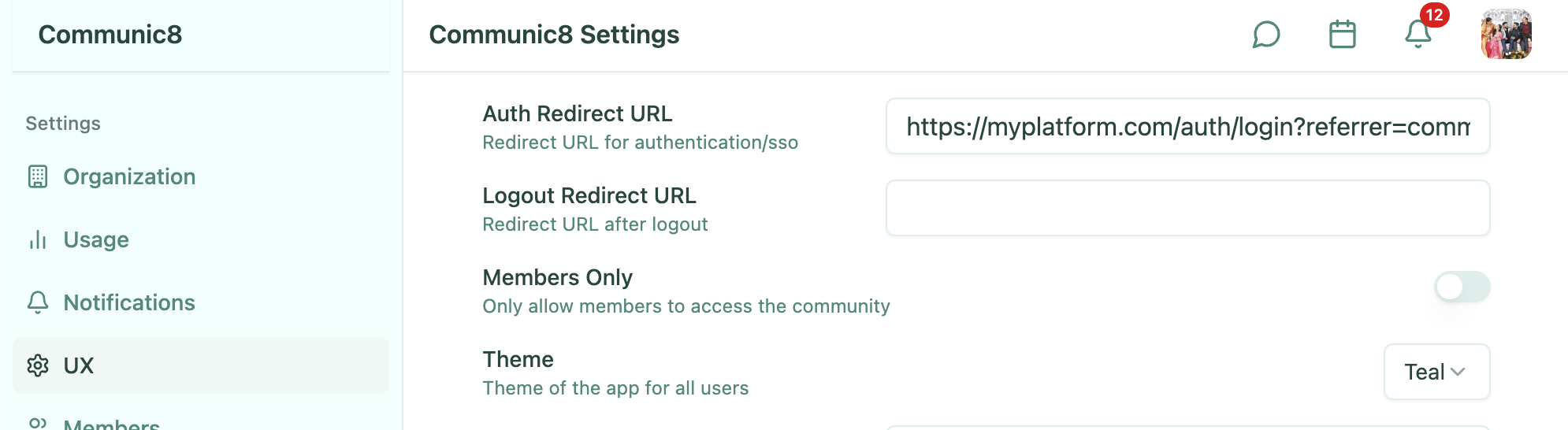
AUTH_REDIRECT_URLinSettings > UX > Auth Redirect URL
- Grab your
ORGANIZATION_API_KEYfromSettings > Integrations
- Now depending on the configuration, user will be redirected to the
AUTH_REDIRECT_URLfrom konnec - On your platform, authenticate the user.
- If the user does not exist in KonnecTo, call the Create User API using
ORGANIZATION_API_KEY.
ORG_ID="my-organization-id"          # e.g. "my-community"
ORG_API_KEY="your-org-api-key-here"  # org.apiKey from Integrations page
USER_NAME="johndoe"                  # username/handle in KonnecTo

curl -X POST "https://<YOUR_API_BASE_URL>/api/organization/${ORG_ID}/user/${USER_NAME}/update" \
  -H "Content-Type: application/json" \
  -H "x-org-id: ${ORG_ID}" \
  -H "x-api-key: ${ORG_API_KEY}" \
  -d '{
    "name": "John Doe",
    "role": "USER",
    "picture": "https://example.com/avatar.jpg"
  }'
- Call the Refresh Token Generate API using
ORGANIZATION_API_KEYto obtain a refresh token for the user.
ORG_ID="my-organization-id"          # e.g. "my-community"
ORG_API_KEY="your-org-api-key-here"  # org.apiKey from Integrations
USER_NAME="johndoe"                  # existing userName in KonnecTo

curl -X POST "https://<YOUR_API_BASE_URL>/api/organization/${ORG_ID}/user/${USER_NAME}/generate-token" \
  -H "x-org-id: ${ORG_ID}" \
  -H "x-api-key: ${ORG_API_KEY}"
- Redirect the user back to KonnecTo and include the refresh token as a query param.
Example:
https://konnec.to?refresh-token=<refresh_token>
- KonnecTo reads the
refresh-tokenparam, exchanges it for a session token, and the user is authenticated.
Notes
- Keep the
ORGANIZATION_API_KEYon your server only. - The refresh token should be generated server-side and passed to KonnecTo only once per login flow.
If you want help wiring this to your existing auth system, reach out and we can walk through it together.